Office Automation
- maintain a file classification system and registration logs;
- classify and register incoming, outgoing, and internal documents;
- issue resolutions, send instructions, and monitor their implementation;
- track the location of original documents and the issuance of paper copies;
- prepare reports on the organization’s document flow.
Maintenance of case files and registration logs
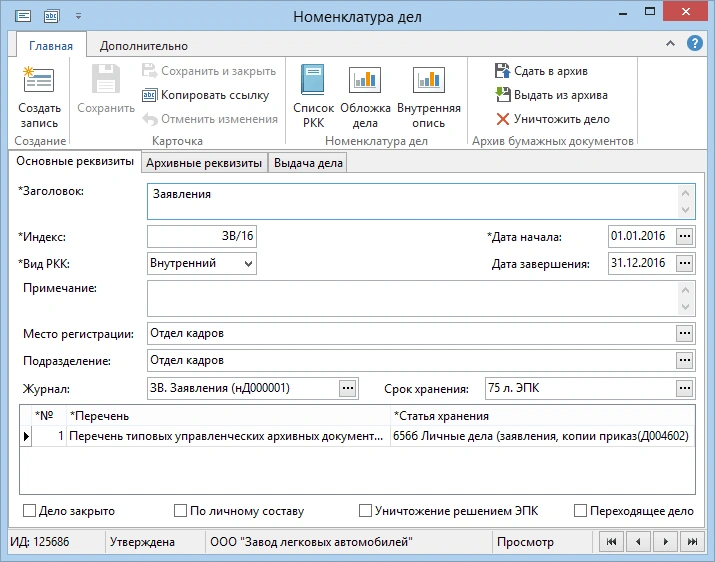
The approved file classification structure is maintained in a special system directory. In cases of decentralized document management, registration points are provided within the organizational units.
When preparing documents for transfer to the archive for each file category, the file cover and the document inventory can be printed automatically. The time required for preparation for archival storage and for searching the archive is reduced significantly.
Document Registration
The approved file classification structure is maintained in a special system directory. In cases of decentralized document management, registration points are provided within the organizational units.
When preparing documents for transfer to the archive, a file cover sheet and an inventory of documents can be automatically printed for each file category. The time required for preparation for archival storage and for searching the archive is reduced significantly.
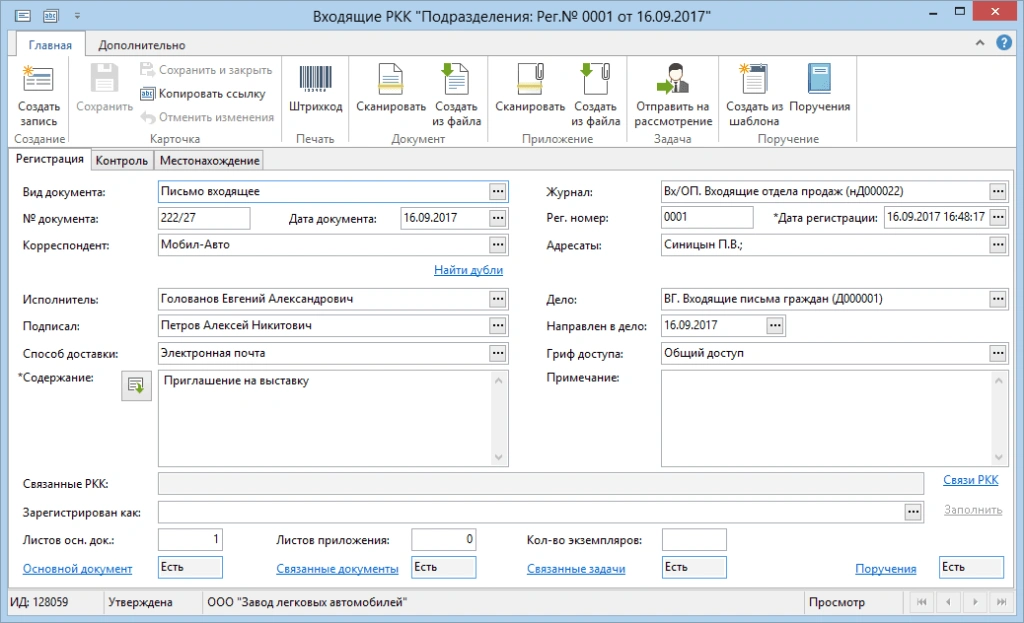
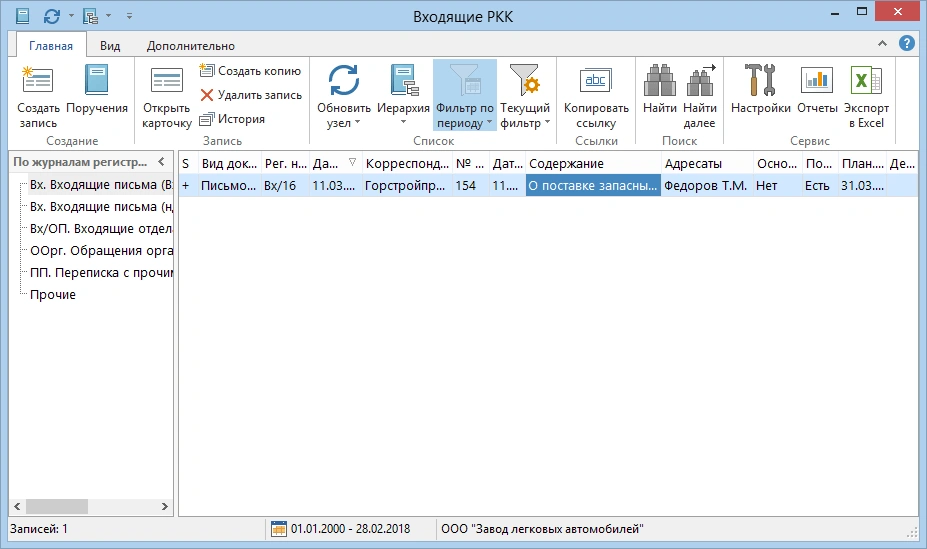
RKKs contain primary data (department, registration date, registration number, etc.), as well as information about the status of any paper document, such as its location. When a document is transferred between departments, a separate RKK is created at each registration point. The movement of a paper document within the company can be tracked through the chain of RKKs created.
Document Flow and Processing
Once an incoming document has been registered, the staff members responsible for handling it can proceed entirely electronically, thereby preventing the loss of the original. Following review of the document, the secretary or the manager personally issues instructions regarding the document, specifying the responsible staff members and deadlines.
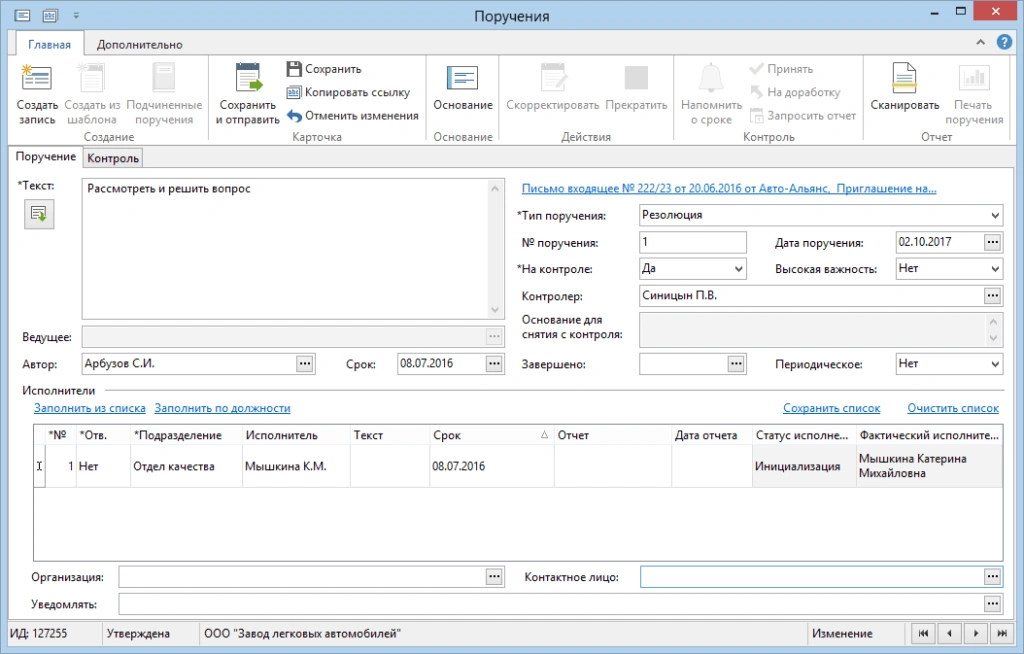
During the execution of tasks, the following is ensured:
- recording of correspondence related to task execution;
- the ability to delegate tasks and send them back for revision;
- deadline tracking and requests for extensions.
Supervisors monitor task progress visually. A brief summary reflecting the status of related tasks is available to all team members.
Sending Emails to Partners
The solution is closely integrated with the “Exchange with Counterparties” module. Once an outgoing letter has been approved, it can be easily sent to recipients via document exchange systems—this eliminates the need to print the document multiple times and reduces delivery costs.
Search and Analysis
Using the known details, it is possible to locate both the electronic document itself and its RKK, along with information about the document’s location and the stage of its execution.
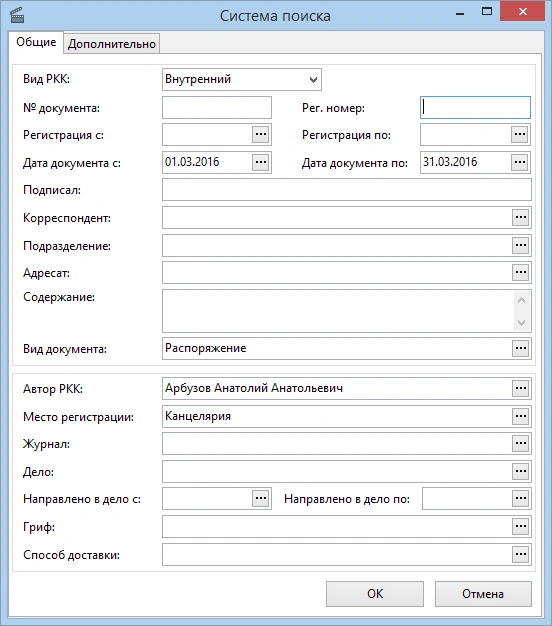
Using the known details, it is possible to locate both the electronic document itself and its RKK, along with information about the document’s location and the stage of its execution.
Online Office
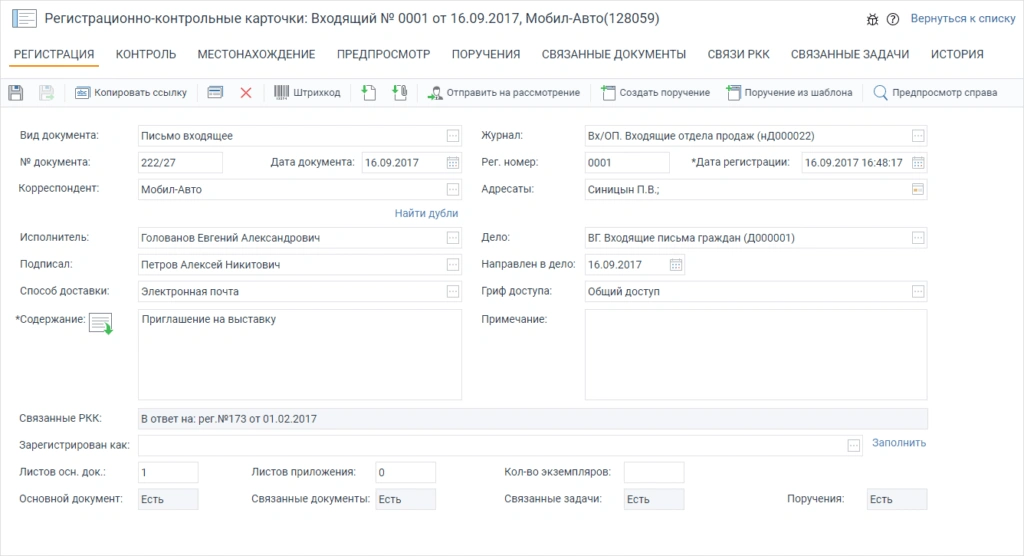
The web client can be used in remote offices of a geographically distributed organization or as the primary client, providing cross-platform compatibility and ease of administration. All you need to use it is Internet access.
Impact of Implementation
With this solution, employees will receive orders and instructions in a timely manner. Monitoring the implementation of management decisions will become completely transparent.
- The risk of losing documents is minimized
- The time required to prepare and approve an outgoing letter will be cut in half
- The process of locating paper documents will be 12 times faster
- The preparation of information for management regarding the implementation of directives will be twice as fast
- The completion rate of management directives will increase by 20%