

M-FILES HUBSHARE — A SECURE SPACE
FOR COLLABORATION WITH CLIENTS, PARTNERS, AND CONTRACTORS
- Branded hubs for clients, projects, and teams
- A convenient digital experience for external participants
- Documents, tasks, and statuses in one workspace
- Control of versions, access, and actions
- Seamless integration with the company ecosystem
WHAT MAKES COLLABORATION WITH EXTERNAL PARTICIPANTS DIFFICULT
Interaction is scattered across different channels
Documents, tasks, comments, contacts, and updates are stored in email, messengers, spreadsheets, or separate folders. It is difficult for the team to quickly find up-to-date information.
Access rights and roles are difficult to manage
The company sends documents outside the internal system and does not always know who has access to confidential materials after they are forwarded.
Confusion between projects
When the team manages several clients or contractors at once, documents, tasks, and comments get mixed together. Employees struggle to quickly find information about the right project.
Too much manual coordination
Managers, lawyers, finance teams, and HR spend time on reminders, status clarifications, contact searches, and participant synchronization instead of their core work.
ORGANIZE WORK WITH CLIENTS AND PARTNERS IN ONE DIGITAL HUB
M-Files Hubshare is a secure client portal for digital interaction with external participants.
It helps bring documents, projects, tasks, comments, contacts, the event calendar, and news into one space so all participants work in a shared context.
The company gets a branded workspace with controlled access, while clients and partners get a convenient collaboration format without fragmented communication channels.
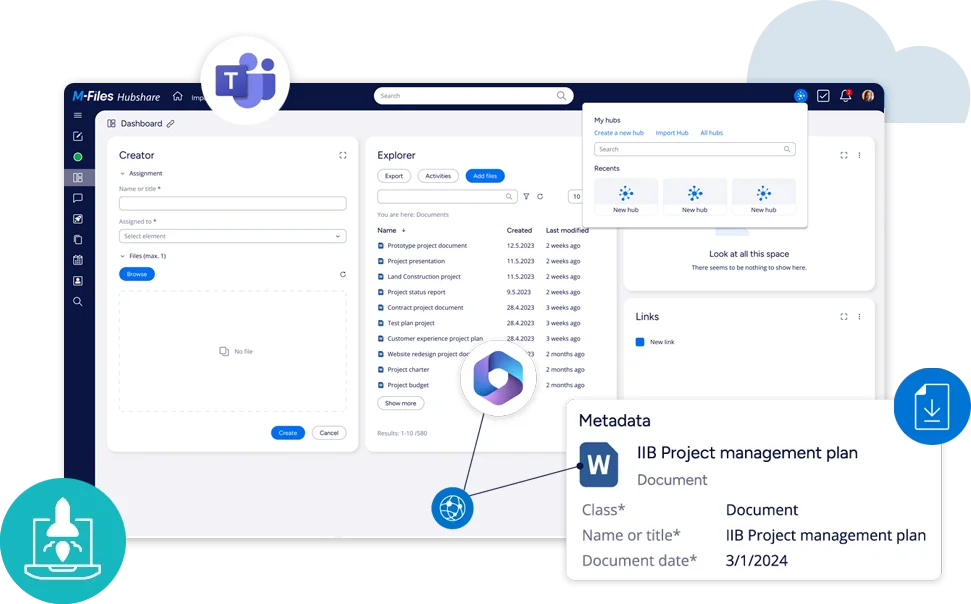
Project dashboards
Secure exchange
Flexible access rights
KEY CAPABILITIES OF M-FILES HUBSHARE
Branded client portals
Create a digital space for clients, partners, contractors, or project teams with your branding, structure, and the required sections.
Unified interaction dashboard
Bring documents, projects, tasks, contacts, events, news, updates, and key actions for a client or project into one place.
Real-time collaboration
Give participants access to up-to-date materials, statuses, comments, and next steps so the internal team and external parties work in one context.
Scaling hubs in one system
Create separate hubs for different clients, projects, audits, or teams and manage them within a single installation.
Protection for confidential documents
Create separate closed sections for audits, reviews, tenders, legal, or financial processes where access must be provided to specific documents rather than the entire system.
Access and role management
Configure who can view, download, comment on, or work with documents in each hub. This is especially important when external participants are involved in the process.
WHAT BUSINESS GETS WITH M-FILES HUBSHARE
Improved client experience
Clients and partners get a branded portal with all materials, contacts, events, and updates. Collaboration looks structured and professional.
More effective interaction
Participants work in one digital space: they see tasks, statuses, comments, and up-to-date project information without searching across different channels.
A secure channel for information exchange
Important documents and materials are shared through a secure portal, not through fragmented emails, attachments, or random links.
Faster work
The team spends less time on clarifications, repeated messages, and participant coordination. Processes move faster because all information is available in one place.
Fewer risks
The company manages user roles and rights: who can view, download, comment on, or work with information in each hub.
Seamless integration with the company ecosystem
Hubshare complements M-Files and the company’s other work tools so external collaboration becomes part of a single digital environment.
HOW WE IMPLEMENT M-FILES HUBSHARE
Analyze processes
We review how the company currently exchanges documents with clients, partners, auditors, and contractors.
Design hubs
We determine which portals are needed for projects, clients, reviews, or external teams.
Configure access
We define user roles, access rights, and rules for working with documents.
Launch the solution
We configure and test scenarios and help the team transition to the new collaboration format.
LEADING COMPANIES
IN UKRAINE AND AROUND THE WORLD TRUST US












Our Customers' Stories

We converted 92% of our document workflow to electronic format and set up digital signatures in the Electronic Document Management System (EDMS) using a Digital...
Докладніше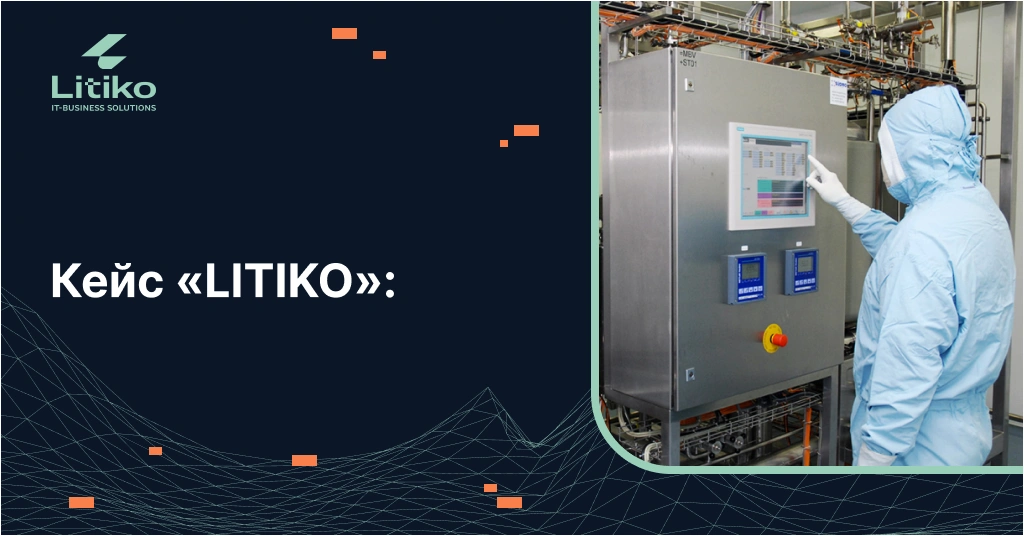
Get a consultation Project Title Implementation of the “Vacation Planning” solution based on the Directum system at a pharmaceutical company with over 2,000 employees. Client...
Докладніше
Get a consultation The implementation of the Directum system has enabled the company to organize a structured document storage system. Every employee can quickly locate...
Докладніше
We streamlined document management and automated processes: correspondence, contracts, payments, approvals, and archiving. Result: Searches are twice as fast, and manual data entry has been...
Докладніше
We centralized document storage and set up automatic uploads from Vchasno.EDO and M.E.Doc. Result: up to 4 hours per day in time savings per employee.
Докладніше
