

RECORDS MANAGEMENT
REDUCE DOCUMENT PROCESSING DELAYS
AND CUT OPERATIONAL LOSSES
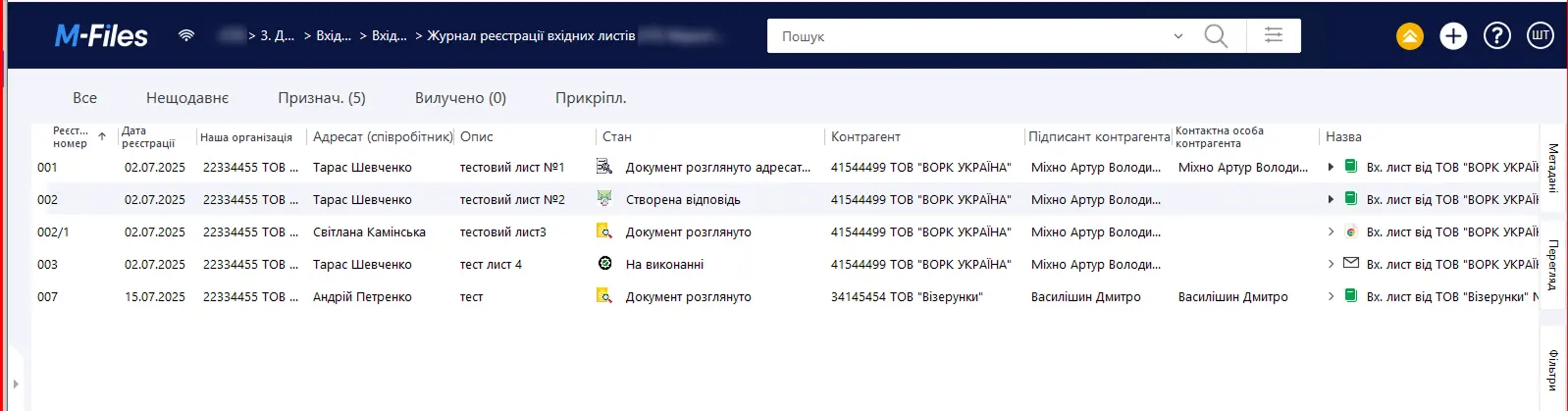
- Document processing and registration
- Review of incoming correspondence
- Task assignment and execution control
- Preparation and sending of outgoing correspondence
- Work with internal documents
- Document acknowledgment
WHAT DOCUMENT CHAOS LEADS TO
No unified standard
Loss of control over correspondence
Version conflicts and duplication
Uncontrolled approval route
MAKE DOCUMENT WORK CLEAR AND MANAGEABLE
The Records Management solution is a single system that organizes document work and processing. All tasks, approvals, and documents are combined into a clear workflow where every stage and responsible person are defined.
Records Management eliminates inconsistencies, synchronizes cooperation between departments, and ensures process transparency.
As a result, the company gains control over operations and works as one coordinated system.
By
average document registration time decreases
By
executive time is saved
x
faster document acknowledgment
x
faster document search
MANAGE ALL INTERNAL DOCUMENTS IN ONE SOLUTION
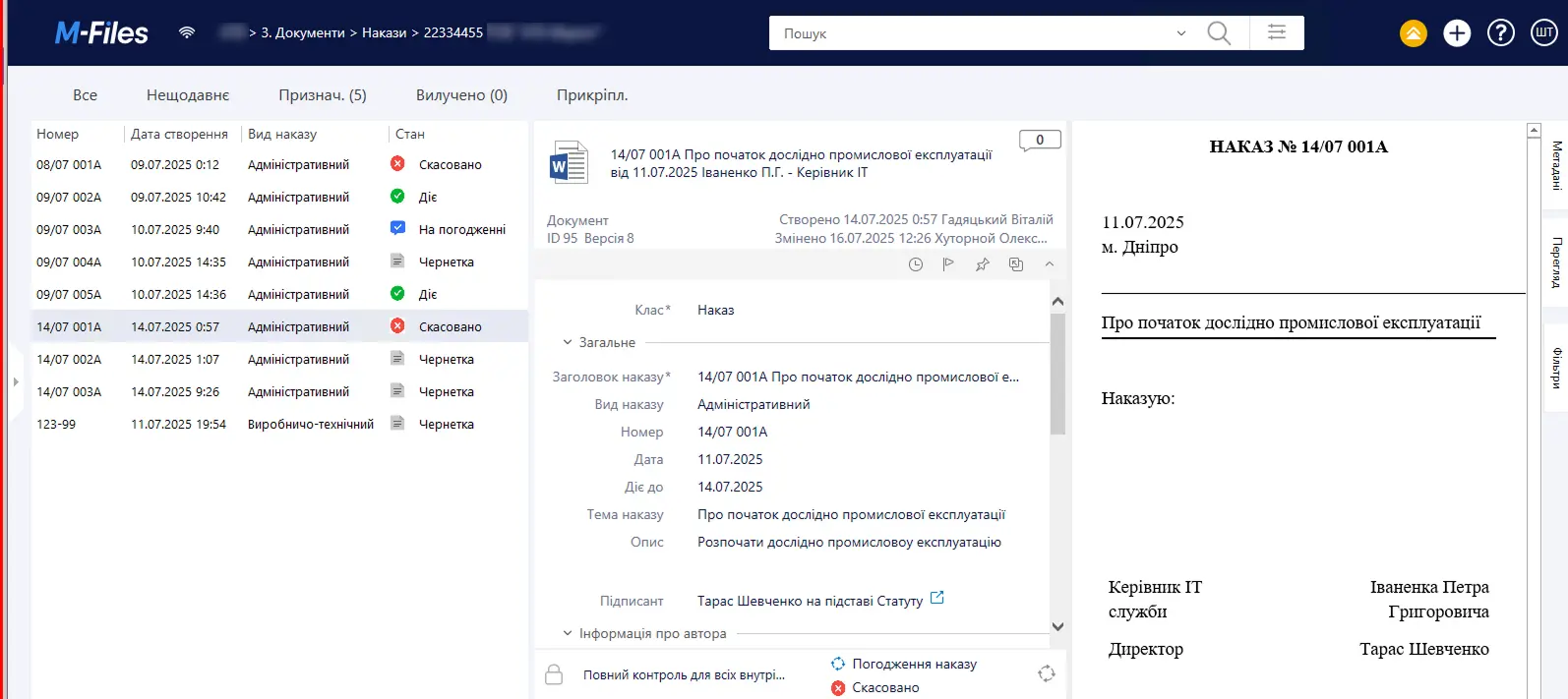
ADMINISTRATIVE DOCUMENTS
Create orders and directives using a single template and route them for approval and signing. Every stage of document movement is controlled in the system and has a clear status. Employees can acknowledge a document in one click or sign it with QES/AES directly in the system.
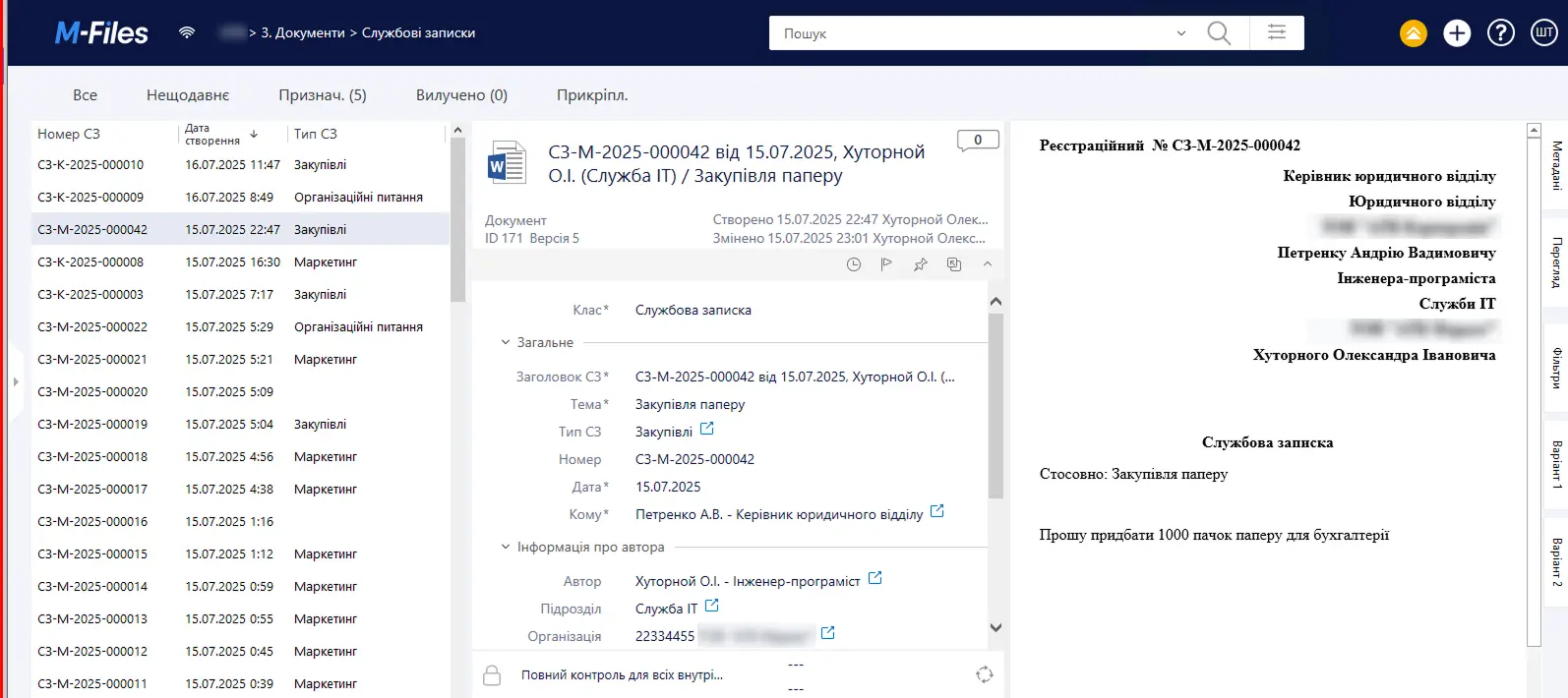
MEMOS
Implement convenient internal templates for any request: equipment purchases, financial assistance payments, and other business needs. Each memo is automatically sent to the manager for review, eliminating the risk of a request getting lost in email or messengers.
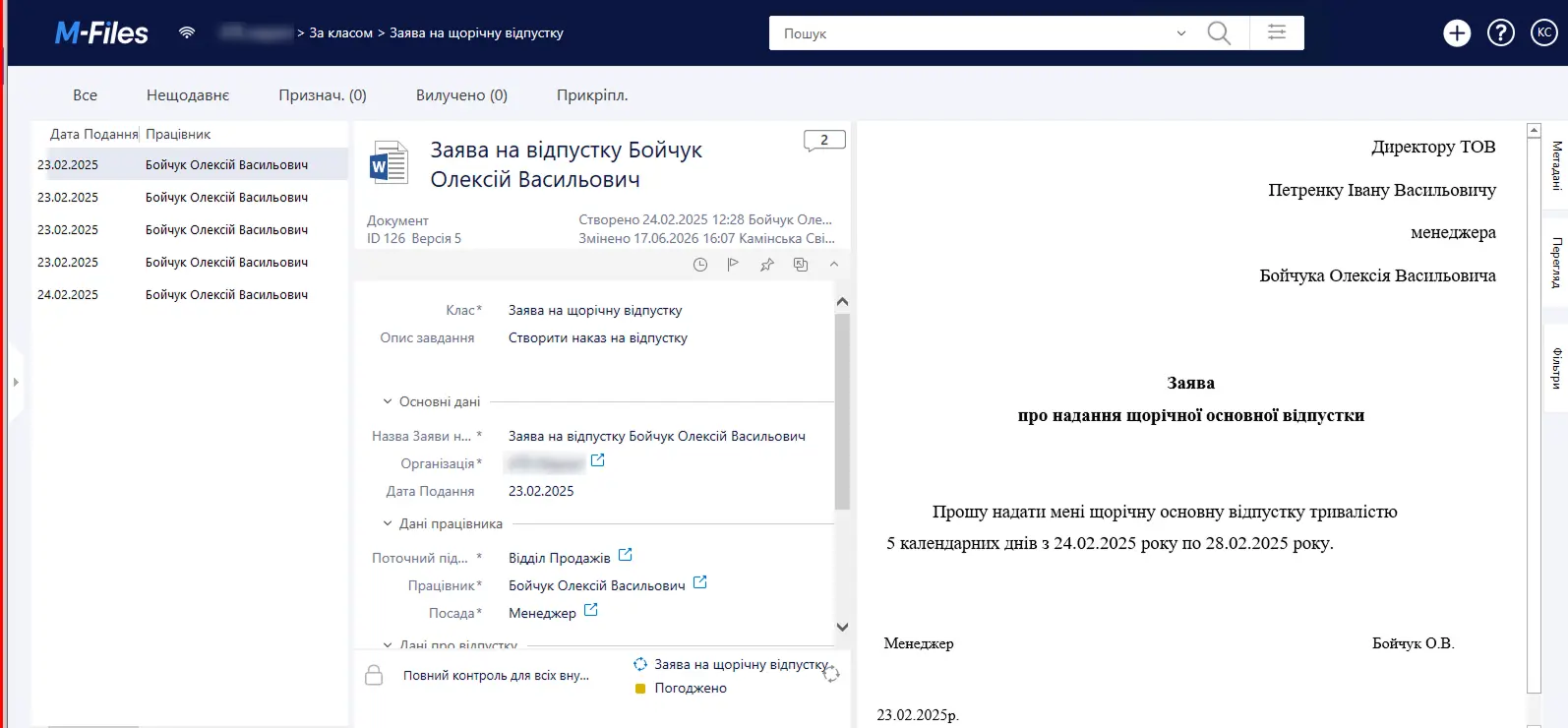
HR DOCUMENTATION
THE RECORDS MANAGEMENT SOLUTION SIMPLIFIES EMPLOYEES’ WORK
For executives
For secretaries
For employees
For department heads
BENEFITS OF RECORDS MANAGEMENT AUTOMATION
Fast document processing and registration
Convenient work for executives
Task assignment and execution control
Instant document search
WHY CHOOSE THE RECORDS MANAGEMENT SOLUTION
Simple setup
Fast change implementation
Instant results monitoring
Easy adaptation to company needs
Integration into any IT infrastructure
Support after implementation
SEE THE SYSTEM CAPABILITIES IN ACTION
The Records Management solution is implemented on M-Files or NECTAIN
LEADING COMPANIES
IN UKRAINE AND AROUND THE WORLD TRUST US







Our Customers' Stories

We converted 92% of our document workflow to electronic format and set up digital signatures in the Electronic Document Management System (EDMS) using a Digital...
More
Get a consultation Project Title Implementation of the “Vacation Planning” solution based on the Directum system at a pharmaceutical company with over 2,000 employees. Client...
More
Get a consultation The implementation of the Directum system has enabled the company to organize a structured document storage system. Every employee can quickly locate...
More
We streamlined document management and automated processes: correspondence, contracts, payments, approvals, and archiving. Result: Searches are twice as fast, and manual data entry has been...
More
We centralized document storage and set up automatic uploads from Vchasno.EDO and M.E.Doc. Result: up to 4 hours per day in time savings per employee.
Morefaq
What is document management automation?
This involves migrating document management and related processes to a unified digital system. It enables the automation of document registration, approval, signing, tracking, and storage. These processes include the creation, processing, review, and storage of correspondence, memos, orders, directives, regulations, and instructions, as well as the processing of applications and requests.
What processes can be automated in a document management system?
The system enables the automation of the processing and registration of incoming documents, the handling of correspondence, the creation and sending of outgoing documents, internal and administrative document flow (orders, directives), the management of regulatory documents (regulations and instructions), the management of powers of attorney, the organization of the work of collegial governing bodies (meetings, supervisory board sessions, shareholder meetings), and the issuance of instructions and monitoring of their execution.
Is it possible to automate the processing of orders and directives?
Yes. Orders and directives can be created using standardized templates, sent for approval and signature, tracked for status, and made available to employees.
Does the system support the KEP electronic signature?
Yes. Documents can be signed with an electronic signature directly within the system, which allows for the use of electronic document management for legally binding transactions. In addition, documents can be imported into the system from other services—Vchasno, M.E.Doc, EDIN, and Document.Online—for subsequent controlled storage of legally binding documents.
How can you monitor the completion of tasks assigned by your supervisor?
In the system, you can create assignments and resolutions, assign responsible staff members, and monitor task completion. It also tracks who has reviewed a document and who has not.
How can I quickly find the document I need in the system?
You can search for documents by reference information, text content, and the barcode on the paper copy. The system also links documents to one another, so you can quickly access the entire set of related materials.
Is it possible to configure the document management system to align with the company's business processes?
Yes. Document workflows can be configured without the need for programmers, and processes can be adapted to changes within the company. The solution can also be enhanced with new features as business needs evolve.
Can the document management system be integrated with other software programs?
Yes. The solution supports integration with the company’s IT infrastructure and enables the consolidation of document and data management into a unified framework and end-to-end processes.
On which platforms is the “Document Management” solution available?
LITIKO’s “Document Management” solution is built on either M-Files or Scriptum. The choice of platform depends on the specific company’s objectives and needs.
Does LITIKO provide support after the document management system has been implemented?
Yes. After implementation, the LITIKO team provides system support in accordance with the agreed-upon SLAs and can expand the system’s functionality to meet the company’s evolving needs.
